
Clone with the CLI
The gh-gradepush extension lets teachers clone classroom or assignment repositories from the terminal.
Requirements
Install Git and the GitHub CLI on your computer. You need access to the classroom and its repositories. On Linux, an unlocked desktop keyring is required for credential storage.
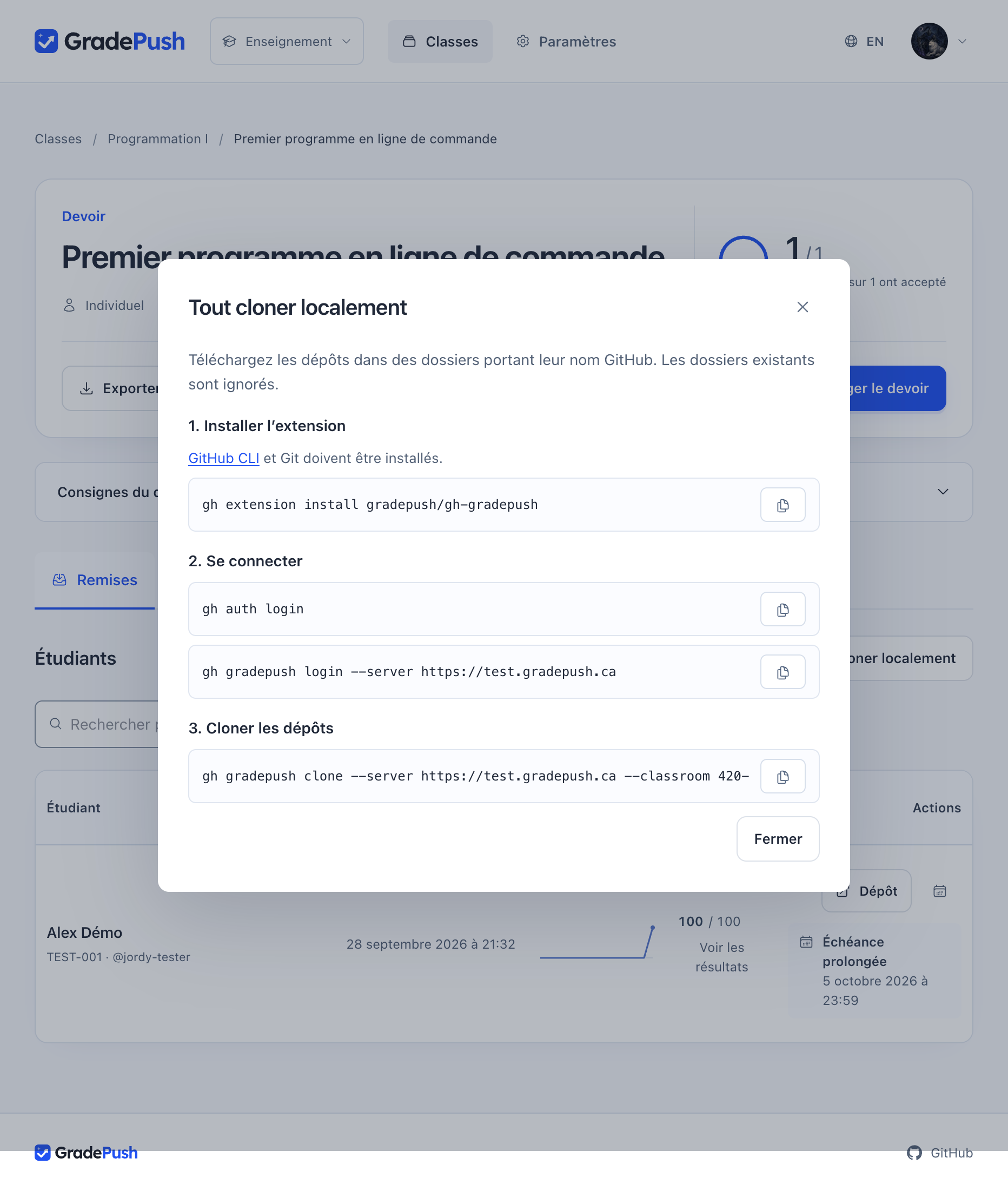
1. Install the extension
gh extension install gradepush/gh-gradepush
2. Sign in
Replace the URL below with your institution’s address, then confirm the connection in your browser.
gh auth login
gh gradepush login --server https://grades.example.org
gh gradepush status
CLI sign-in is unavailable in the public demo.
3. Clone repositories
- Open the classroom or assignment in GradePush.
- Select Clone all locally.
- Copy the clone command and run it in your terminal.
You can also use these commands, replacing the classroom and assignment slugs:
gh gradepush clone --classroom course-101
gh gradepush clone --classroom course-101 --assignment lab-1 --destination ./student-work
Existing folders are skipped; the command does not update repositories you have already cloned.
Sign out
gh gradepush logout
This revokes the GradePush CLI session. Run gh gradepush --help for options or consult the extension repository.